GalleryPal
An AR museum guide to replace the audio tour.
- Role
- Product designer, solo. 5-day design sprint, March 2023.
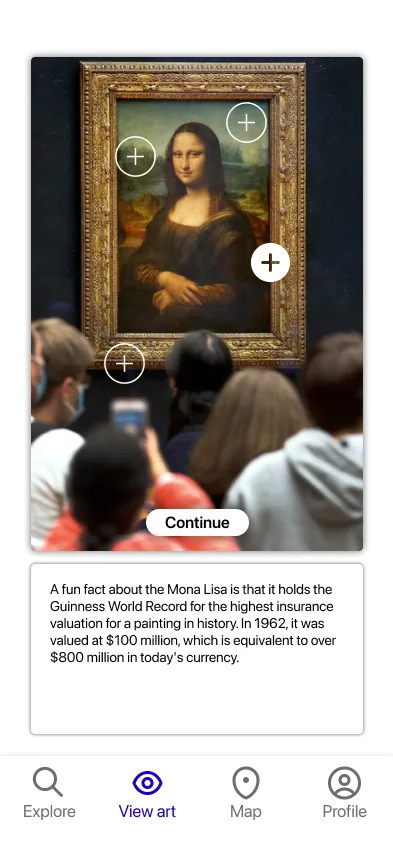
Audio tours are the same for everyone and have nothing to do with where you're standing. GalleryPal builds a route from what you like. You point your phone at a piece and tap info points right on it. Halfway through the sprint I realized my first version took too many taps. Making AR the main interface, instead of a feature, fixed the whole flow.
I studied studio art, so I've spent a lot of time in museums. I've watched people punch a number into a tour device, listen to a recording, and skip past work they might have loved.
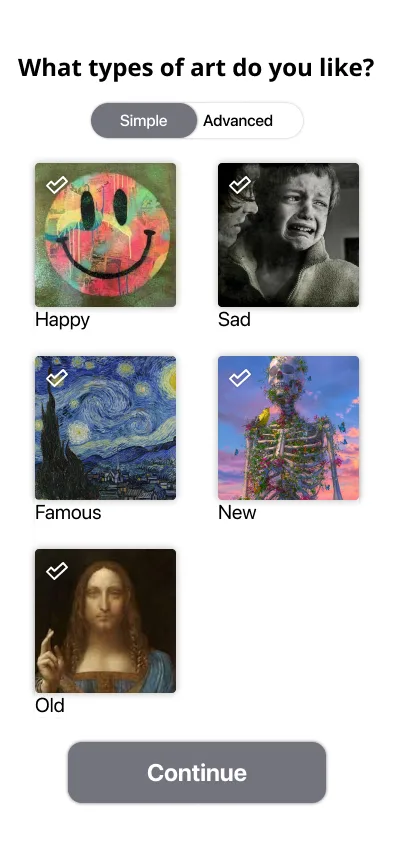
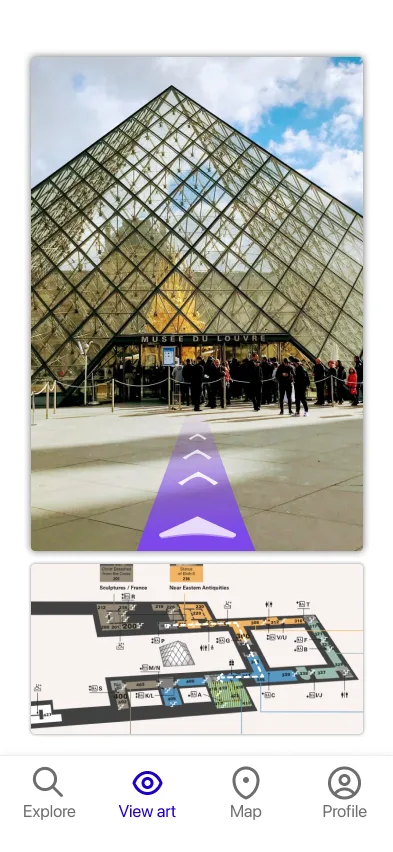
You can set up quickly, or use an advanced setup if you know exactly what you like. The info points cover a fun fact, the artist's background, the history behind the piece, and how it was made. Between pieces, AR arrows lead you along your route, with a 2D map of the museum as a backup.
I designed it solo over the 5 days, from mapping the problem to testing a prototype. Feedback pointed to what's worth adding in a future version: a wishlist for pieces to revisit, and ratings that improve picks for repeat visitors.
What testing showed
All 5 testers got point-and-tap right away and preferred it to menus.