The500
A members-only matchmaking app and the admin system behind it.
- Role
- Founding Product Manager
- Timeline
- December 2023 to present
- Platform
- iOS, Android, web admin system
- Tools
- Figma, Plane, Claude, Claude Code, Supabase
- Problem
- A matchmaking firm with 30 years of clients had no app. Everything ran on phone calls, email, and spreadsheets.
- My role
- Product manager. I own the roadmap, the requirements, and the design direction for the member app and the admin system.
- What I built
- The member app, and the admin system concierges and recruiters use to run the business. I wrote the spec for the whole admin side.
- Where it is
- Built and not live yet. The company is getting ready to launch it properly.
- What I'd change
- Map every member-to-admin dependency before designing a single screen.
Overview
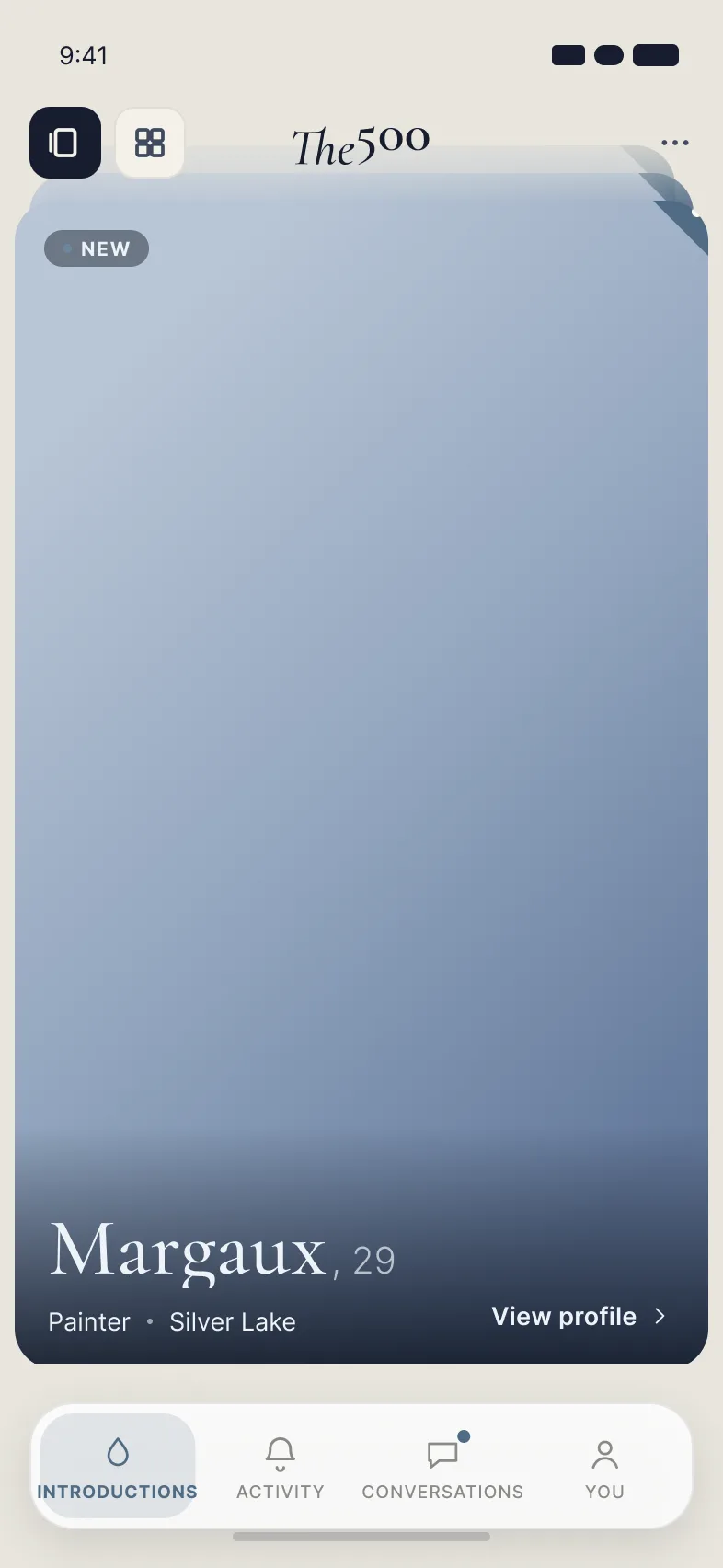
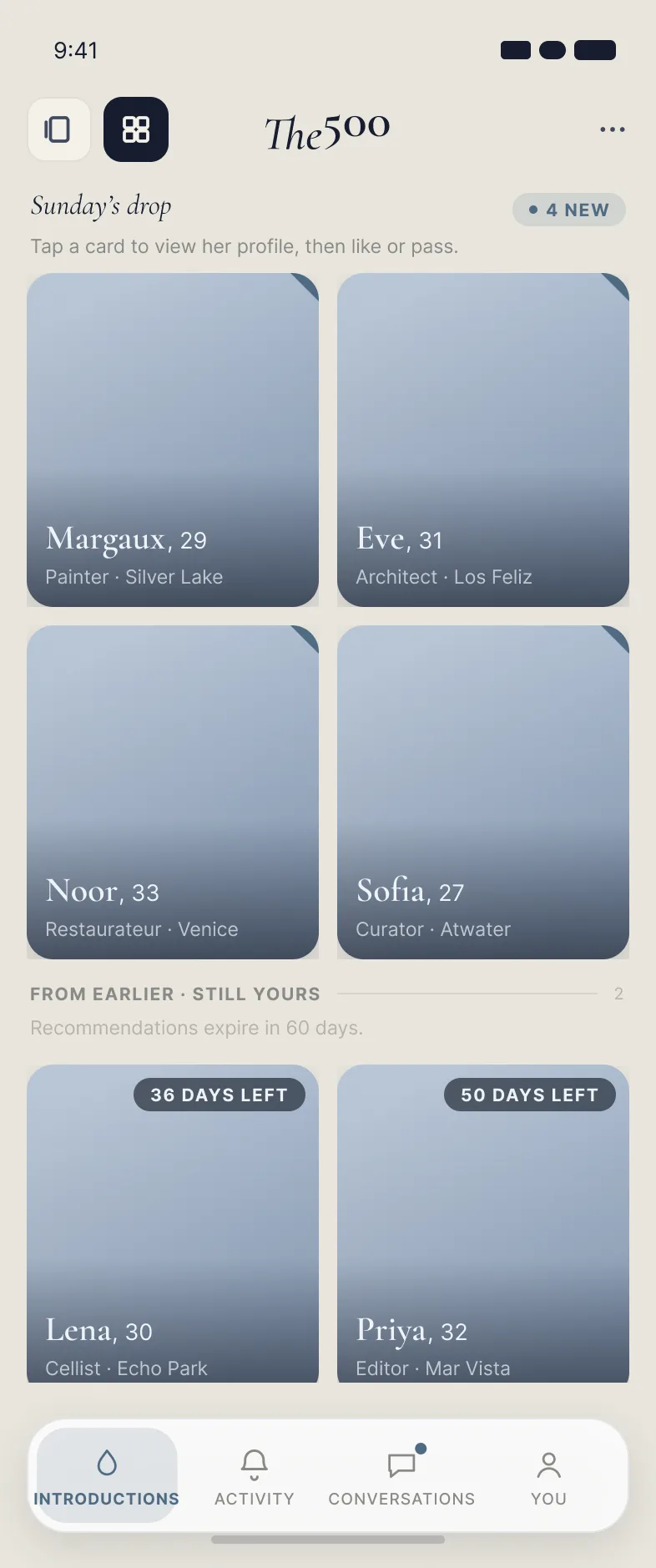
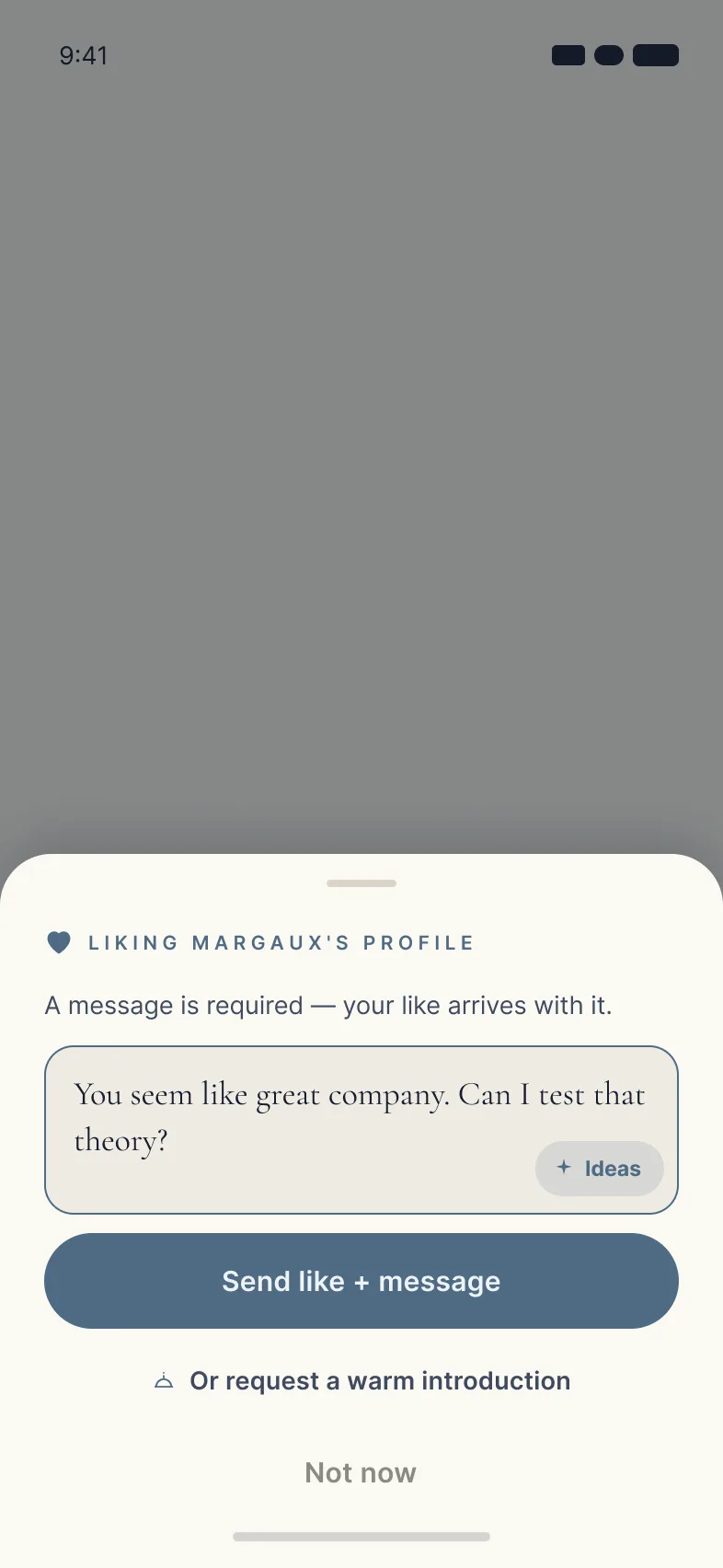
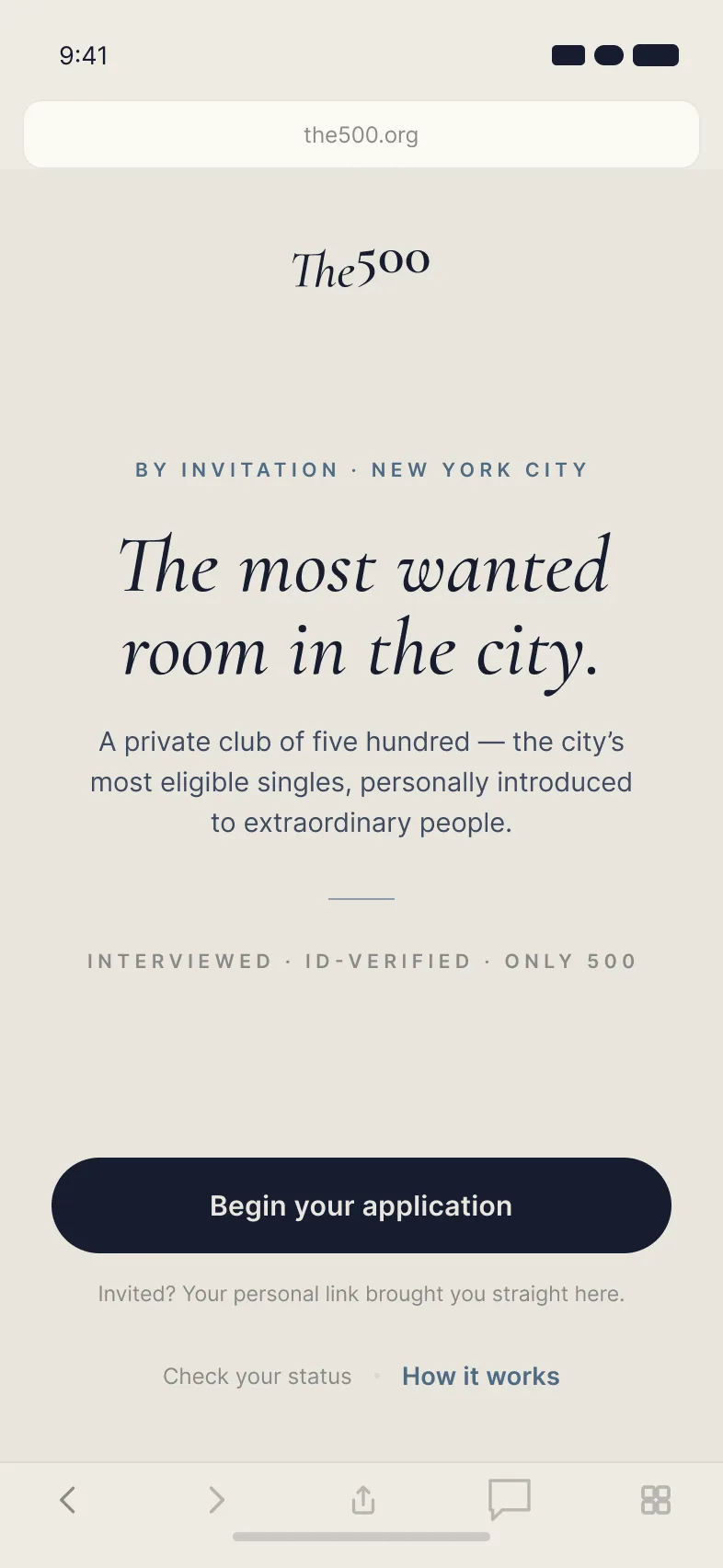
The500 is an invitation-only dating app for The Standard Agency, a matchmaking firm that has been pairing people up for 30 years. Members pay. Every Sunday they get 4 profiles their concierge picked for them, and 3 more on Wednesday. To like someone, you have to send a message. If it's mutual, it's a match.
There are really two products here. Members see the app. Concierges and recruiters work in the admin system, and what they do there decides what a member sees. One doesn't work without the other, so I've owned both.
Problem
The firm had the expertise and the clients but no software. That works when it's small. It doesn't scale, and it doesn't feel premium to someone paying for a premium service.
The app had to keep the part people pay for, which is a real person with good judgment picking for you. It also had to fix everything that breaks when you do that by hand. And it had to feel nothing like a swipe app. Dating apps have taught people to expect fake profiles and low effort, so it needed to be obvious from the first screen that a person chose these profiles.
What I did
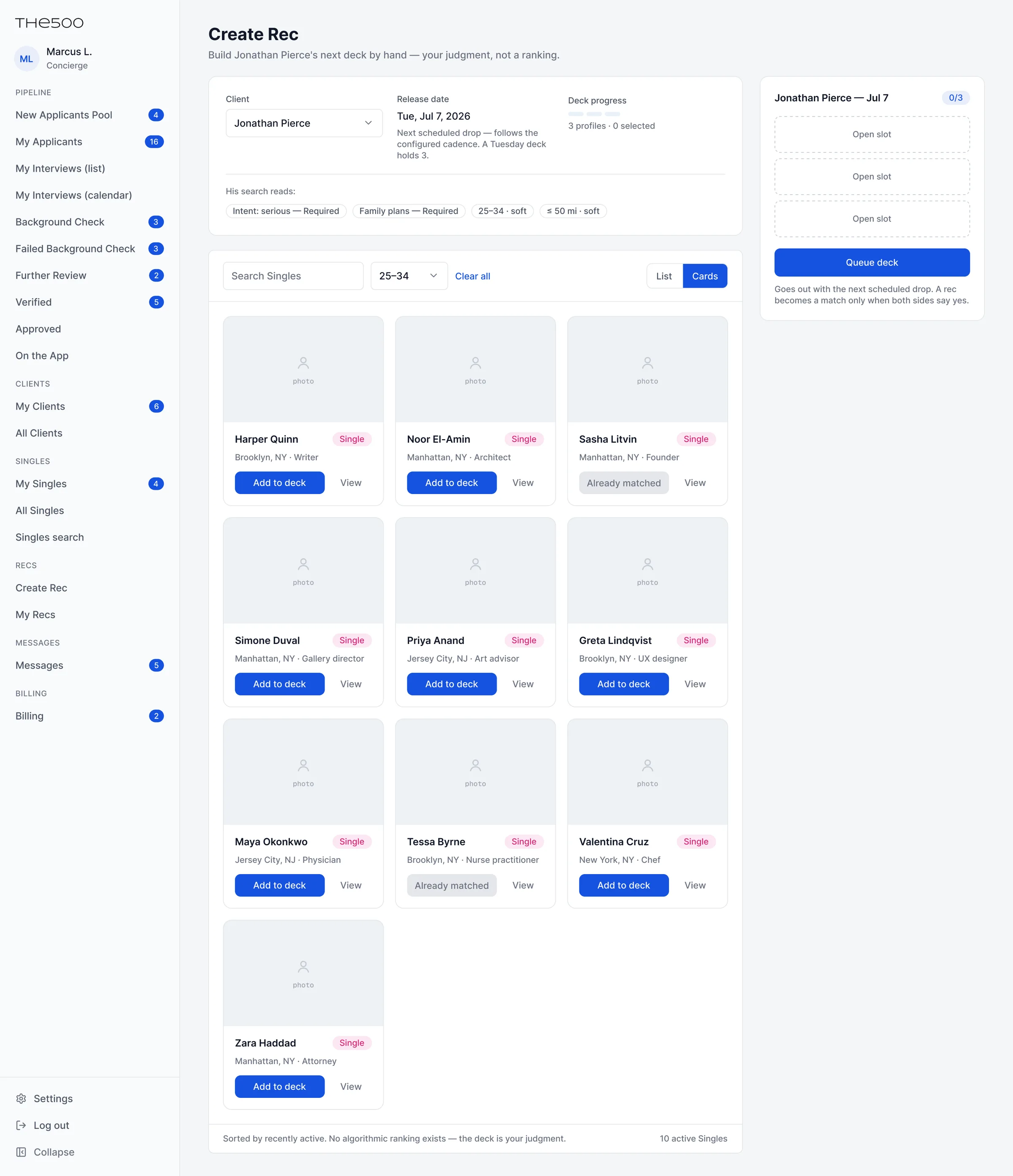
I wrote the requirements for every part of it: onboarding, invitations, matching, messaging, reviews, blocking and reporting, billing, and the full admin system. I designed the two sides together. When I designed the drops for members, I designed the screen concierges use to build it at the same time.
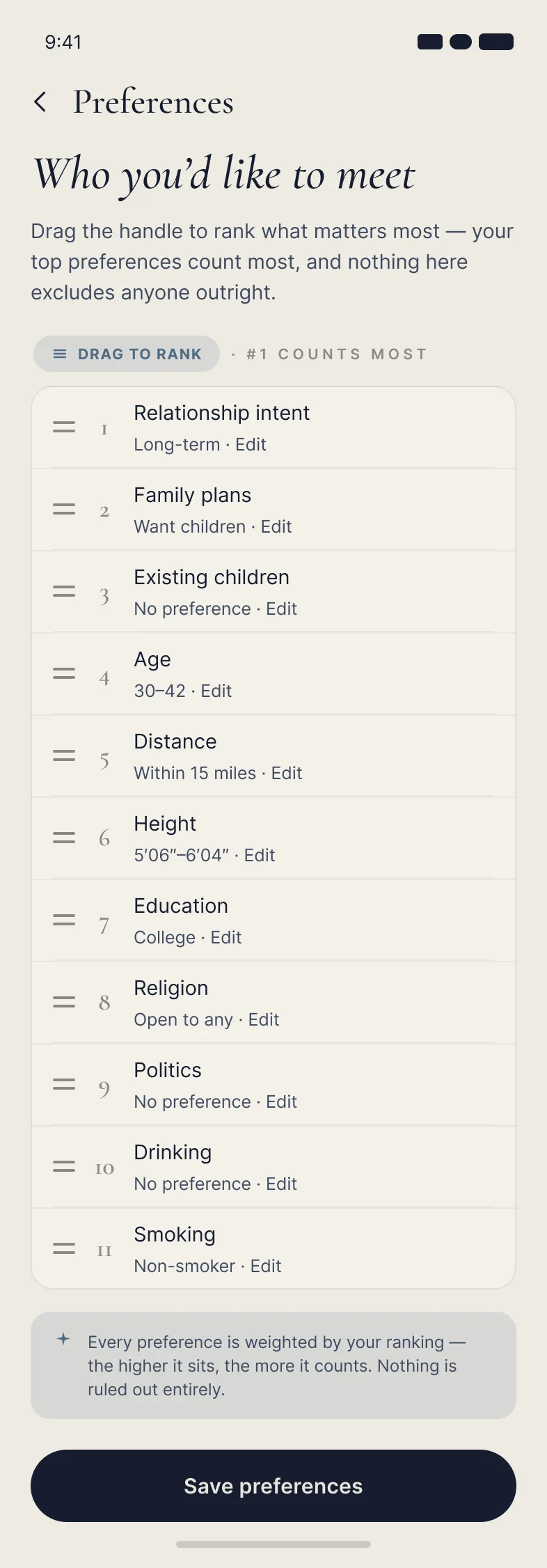
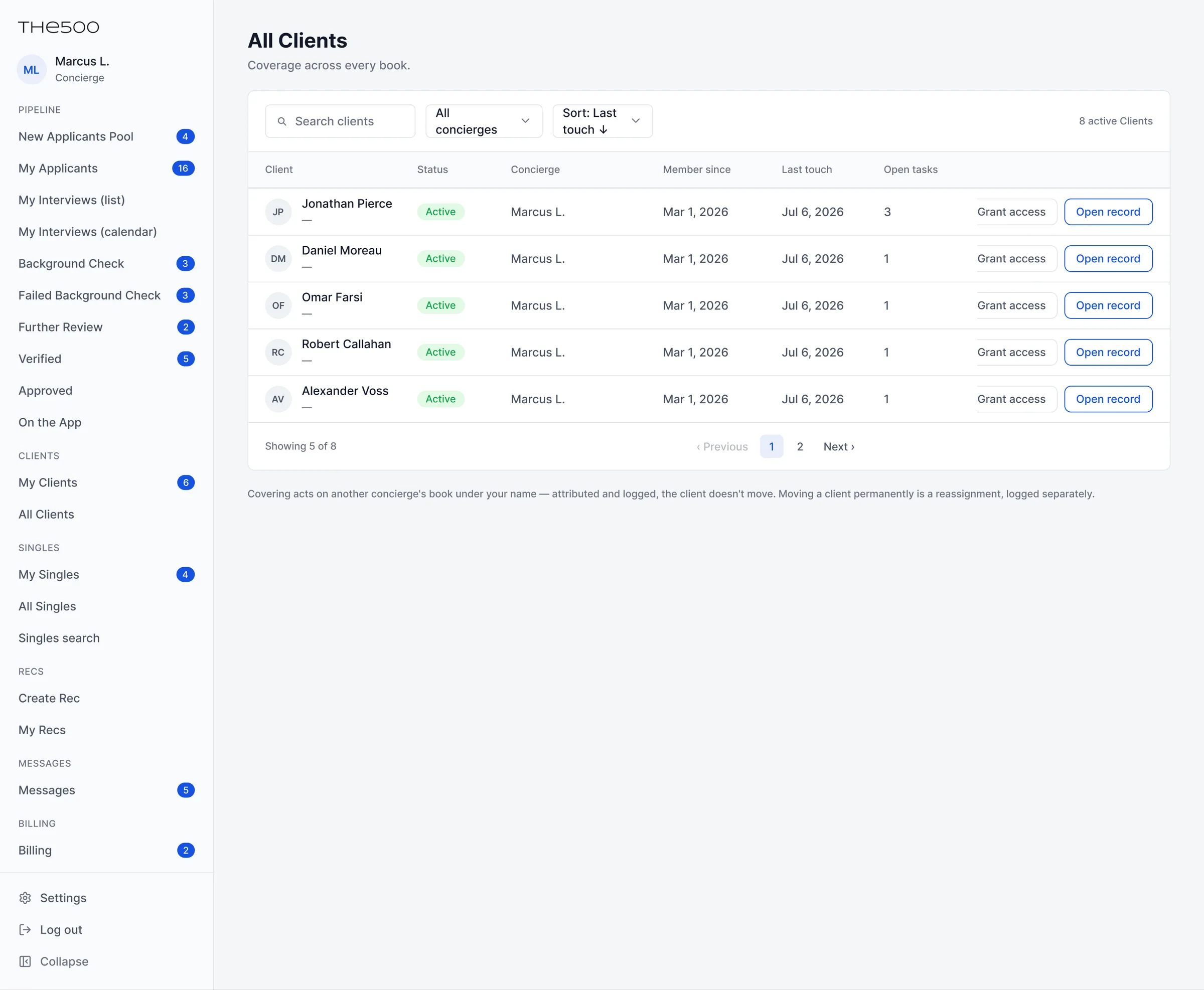
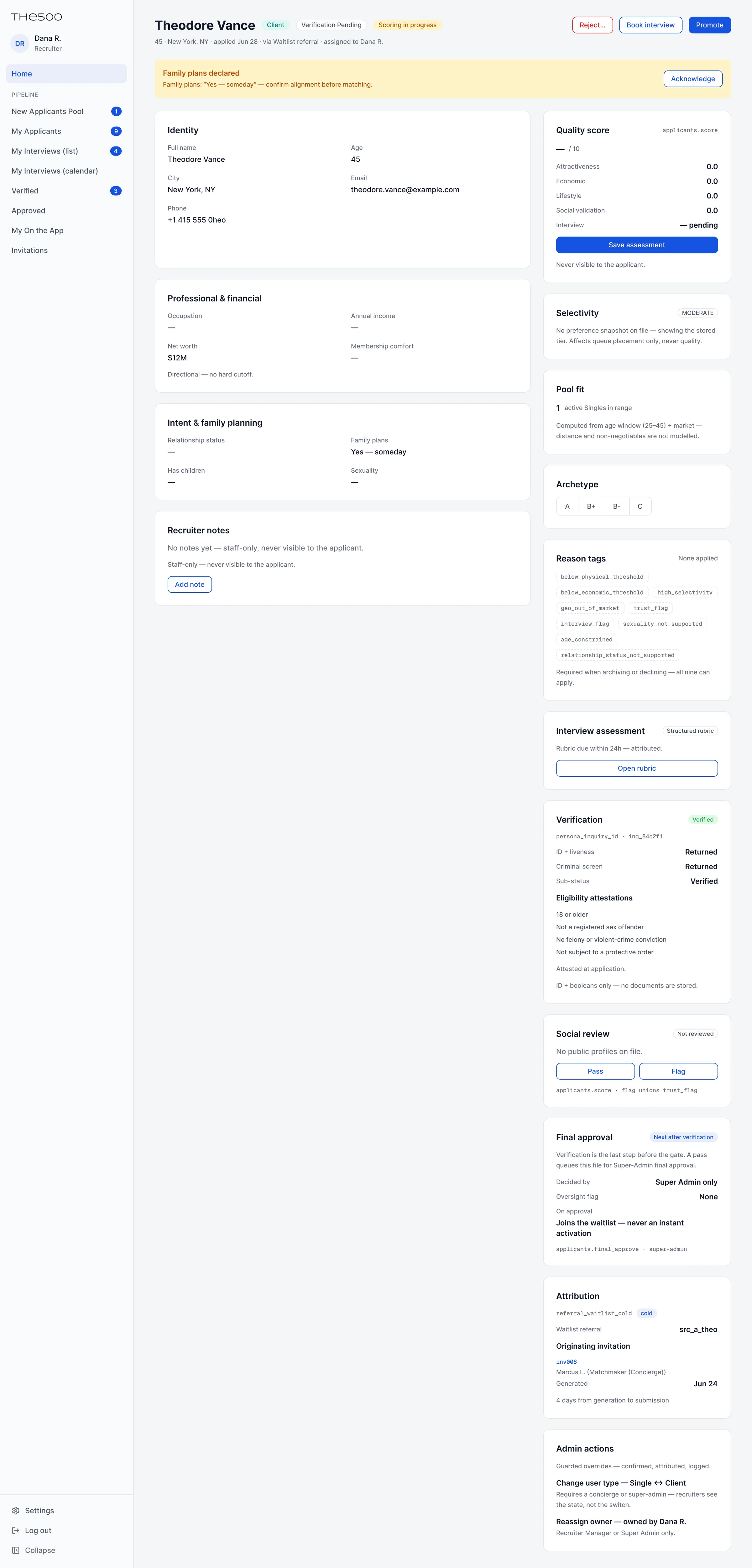
The admin system is the piece I'm proudest of. I wrote the spec for all of it, from how applications get reviewed and waitlisted to how a new member gets assigned a concierge. I also own the business rules that tie it together, like how long a recommendation stays open and how many invites a member gets.
Rebuilding it with AI
In 2026 we redesigned both products and changed how we build them. The team went from three developers, two designers, and a project manager to one designer, two developers who build with AI, and a project manager.
That changed my job. I prototyped the admin system in code first, with Claude Code, and we moved the finished prototype into Figma as the design source. I used AI to turn meetings and decisions into versioned requirements, and to break those requirements into a full ticket backlog in Plane. The documents still exist. I just spend a lot less time typing them and a lot more time deciding what goes in them.
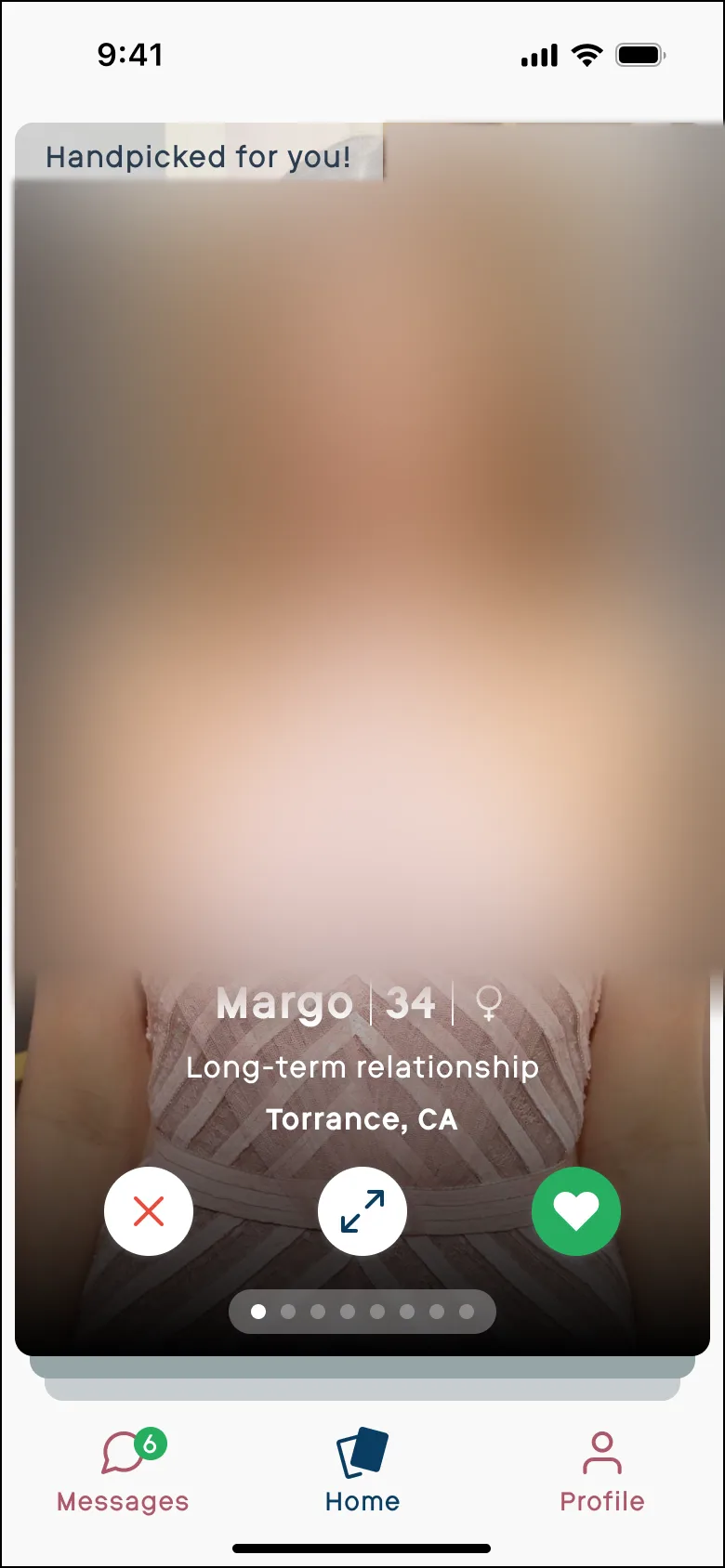
The original design felt dated. For a product priced like The500, it also didn't have the wow factor a member should feel the first time they open it. So we redesigned both products from scratch and used the chance to add a few new features too.
What we built
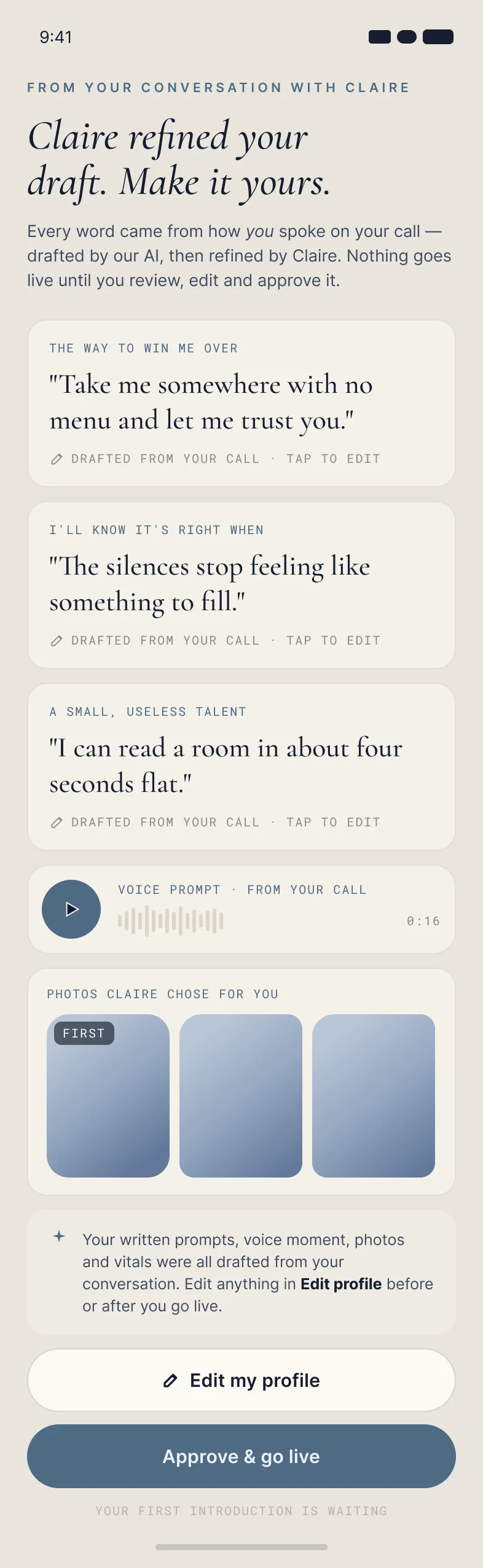
- The drops. 4 profiles on Sunday and 3 on Wednesday, picked by your concierge. To like someone you write them a message. Profiles lead with photos, a voice greeting, and what the person is looking for.
- Weekly check-in. At the start of each week the app asks what you're looking for right now. It goes straight to your concierge for the next drop.
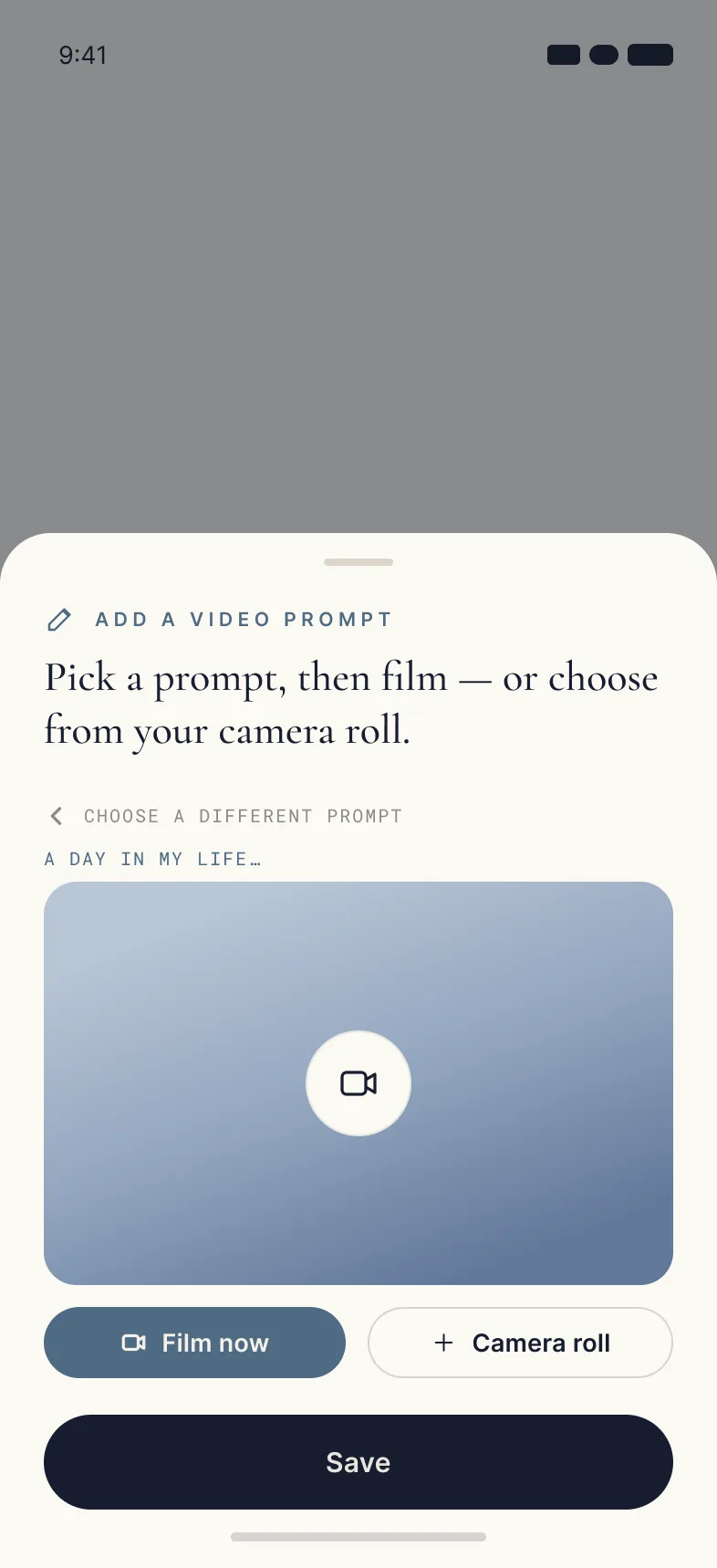
- Video prompts. A question and 15 seconds to answer it. The point is to get something unrehearsed.
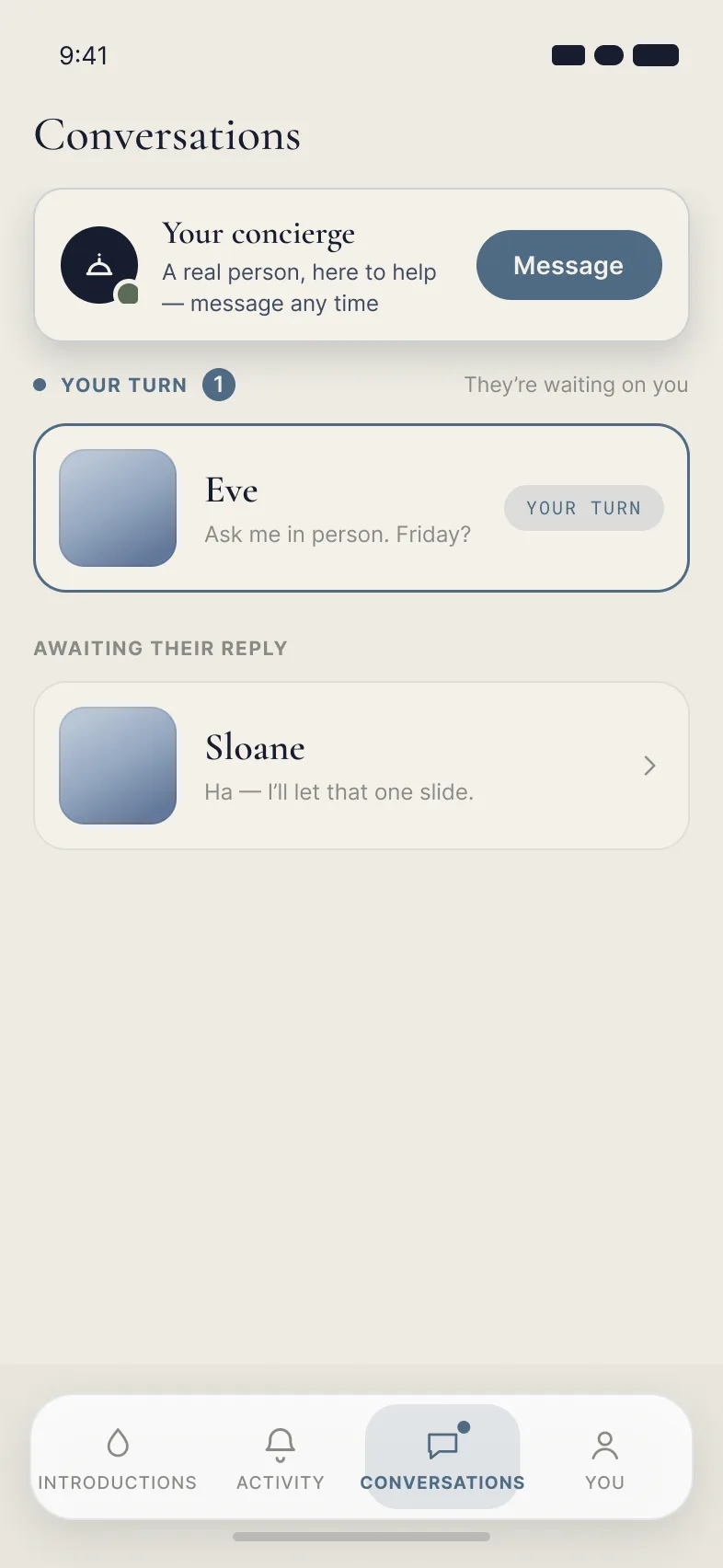
- Your concierge in your inbox. Pinned at the top of your messages from day one.
- Invitations. Members can invite people they know. The invite is a single-use link they send from their own phone.
- The admin system. Where recruiters review applications and manage the waitlist, and where concierges manage their members and build each drop. It filters the singles database on 20+ criteria.
Where it stands
The app is built and not live yet. One thing I've learned here is that a product doesn't work just because you switch it on. It needs real support behind it to launch well, and the company is setting that up now.